
How to Import Public Eventbrite Events into MEC Using an iCal Link
Introduction
This guide will walk you through the easy steps to find a public Eventbrite iCal (ICS) link and import those events into Modern Events Calendar (MEC) using the Advanced Importer Addon.
Step 1: Find the Eventbrite Organizer or Event iCal Link
Eventbrite does not provide direct public iCal links on every page, but you can use a free online tool to generate the iCal link for any public organizer’s events:
Use this link format to get the iCal URL:
https://eb-to-ical.daylightpirates.org/eventbrite-organizer-ical?organizer=ORGANIZER_ID
How to Locate the Organizer Page and Extract the ID
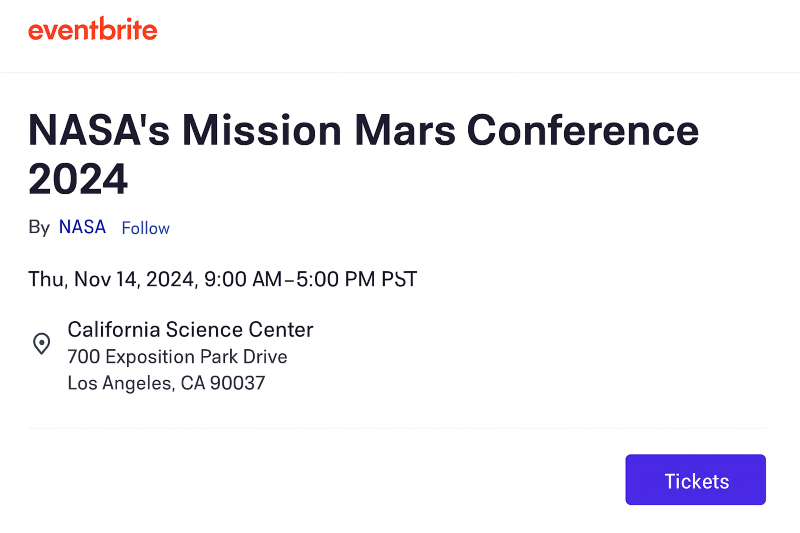
- Open any public Eventbrite event page(e.g., NASA event).
- Find the text/link “By \[Organizer Name\]” usually under the event title.
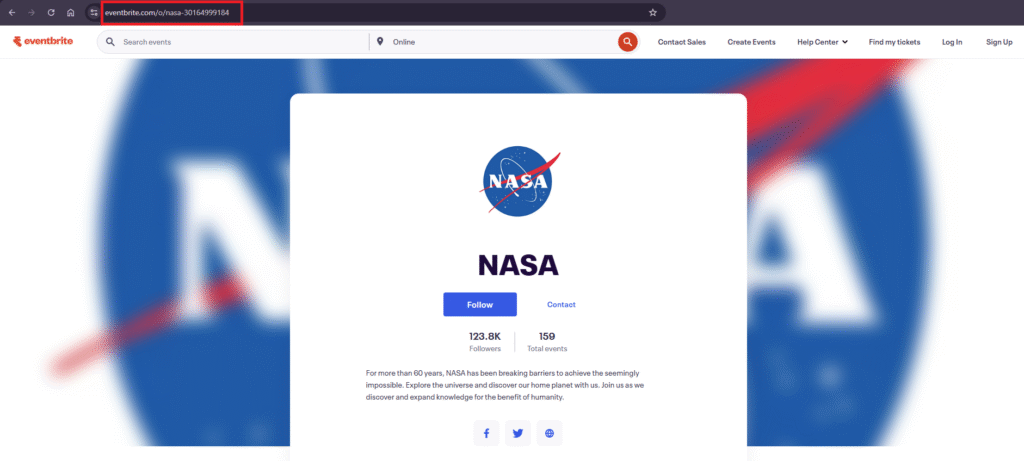
- Click it to go to the organizer’s profile page.
- The URL will look like this: https://www.eventbrite.com/o/nasa-30164999184
- The number at the end is the Organizer ID → 30164999184
Quick Recap
- Pick a public event (e.g., NASA event)
- Click the By \[Organizer\] link
- Copy the ID from the URL
- Use the ID in this format:
https://eb-to-ical.daylightpirates.org/eventbrite-organizer-ical?organizer=30164999184
Step 2: Import the iCal Link into MEC Advanced Importer
- Log in to your WordPress admin panel
- Go to MEC > Advanced Importer
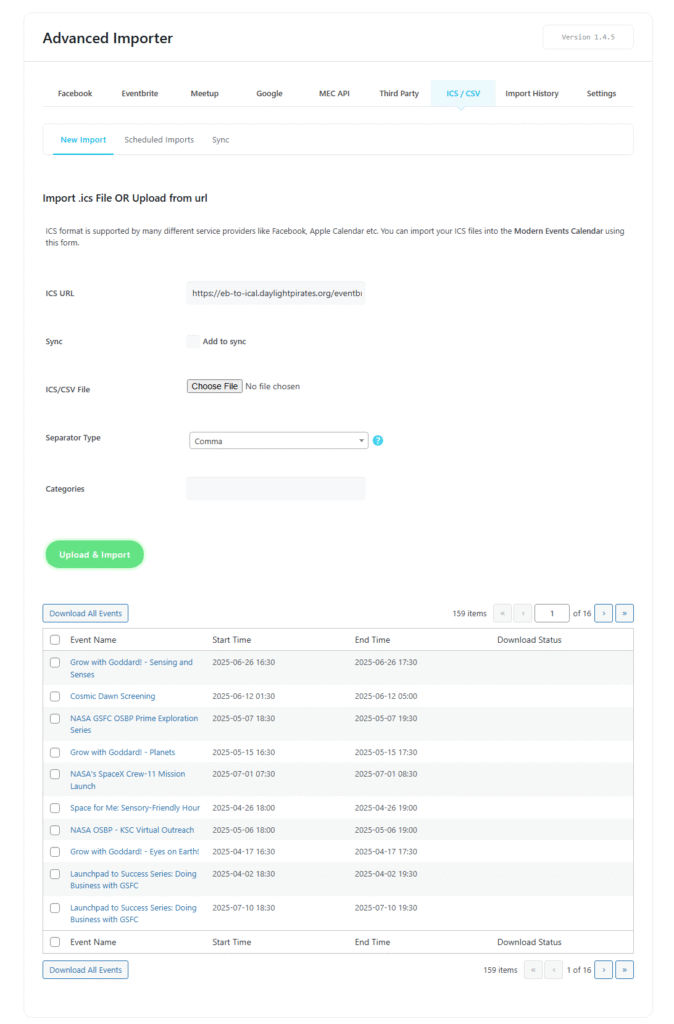
- Switch to the ICS / CSV tab
- Paste the iCal link (from Step 1) into the ICS URL field
- Click Upload & Import
- Advanced Importer will fetch all public events from the iCal feed and show a list
- Select the events you want to import and click Download Selected Events
Step 3: Automate Import (Sync Events Automatically)
- Go to the New Import tab.
- Paste your iCal URL in the ICS URL field.
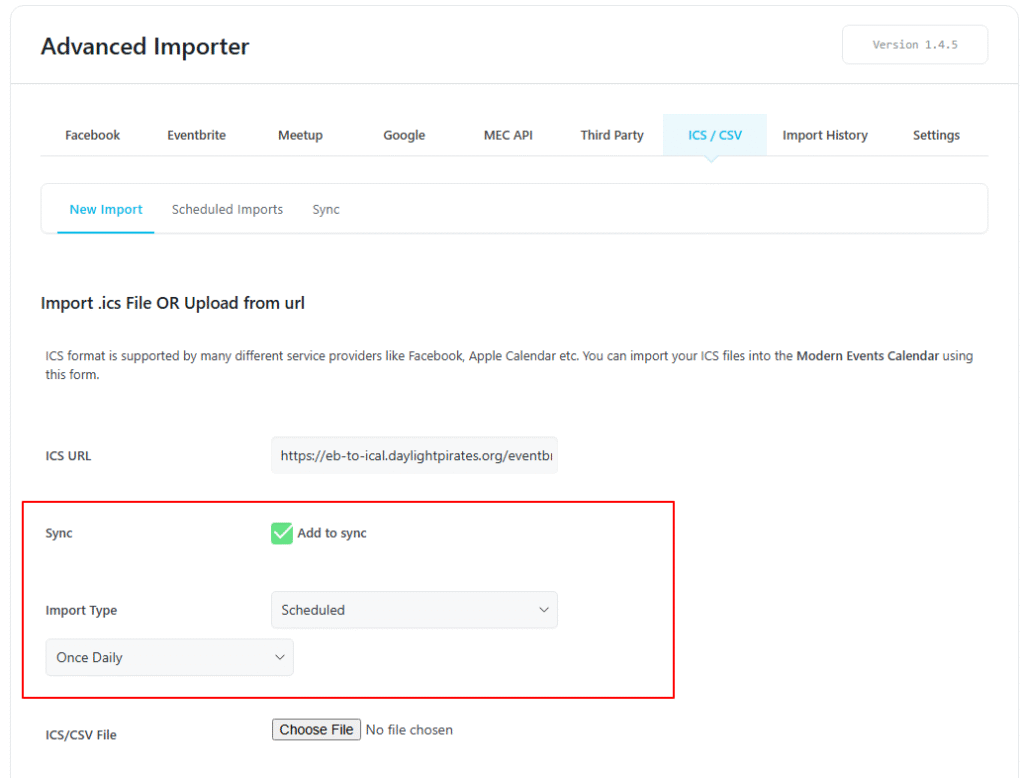
- Enable the Add to Sync option.
- Set the Import Type to Scheduled.
- Choose how often you want the import to run (e.g., Daily, Weekly).
- Click Upload & Import.
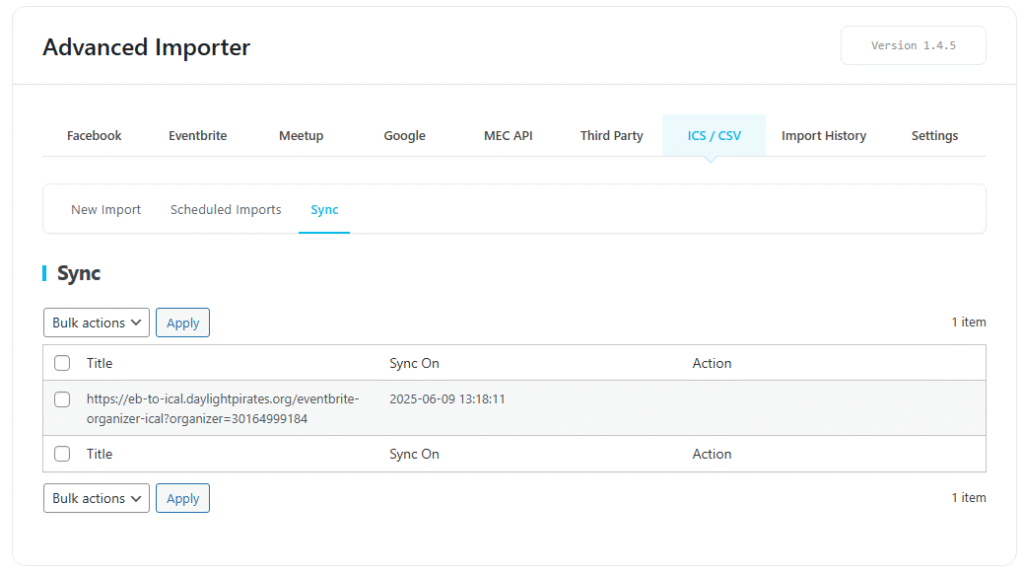
- Go to the Sync tab to view and manage the synced ICS URL.
MEC will now automatically fetch new events from this feed based on the schedule you set.
Tips & Notes
- This method works only for public Eventbrite events
- No Eventbrite login or API key is required
- Make sure the iCal feed is accessible
- Works for any public organizer with a visible profile
Updated on: 01/02/2026
Thank you!