
MEC Utility
Introduction
MEC Utility is an add-on for Modern Events Calendar (MEC) that enables seamless integration between your WordPress website and the MEC Events mobile application. It provides secure API and QR Code-based authentication methods, allowing mobile users to access events, bookings, and attendees with customizable permissions.
Installation & Activation
- Upload and install the MEC Utility plugin like any other WordPress plugin.
- Activate the plugin from the WordPress admin dashboard.
- After activation, a new menu item named ‘MEC Utility’ will appear in the admin panel.
- By default, one App Access with limited permissions is created automatically.
MEC Utility Dashboard
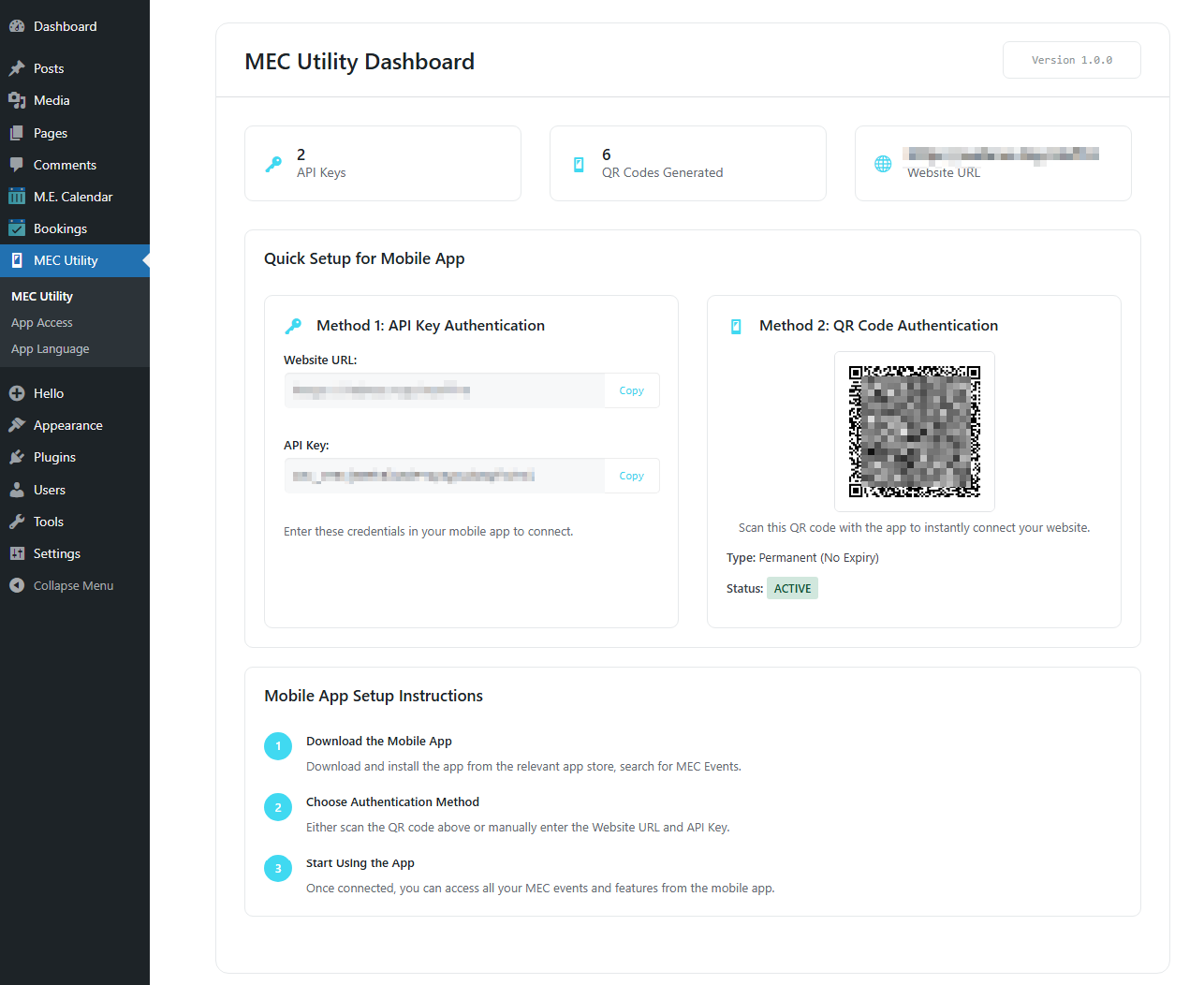
The dashboard provides an overview of your current App Access keys, QR Codes, and quick access to important tools.
From here, you can:
- View the number of active API Keys and QR Codes.
- Scan the QR code with your mobile app for an instant connection.
- Quickly copy API credentials.
- Navigate to App Access Management.
App Access Management
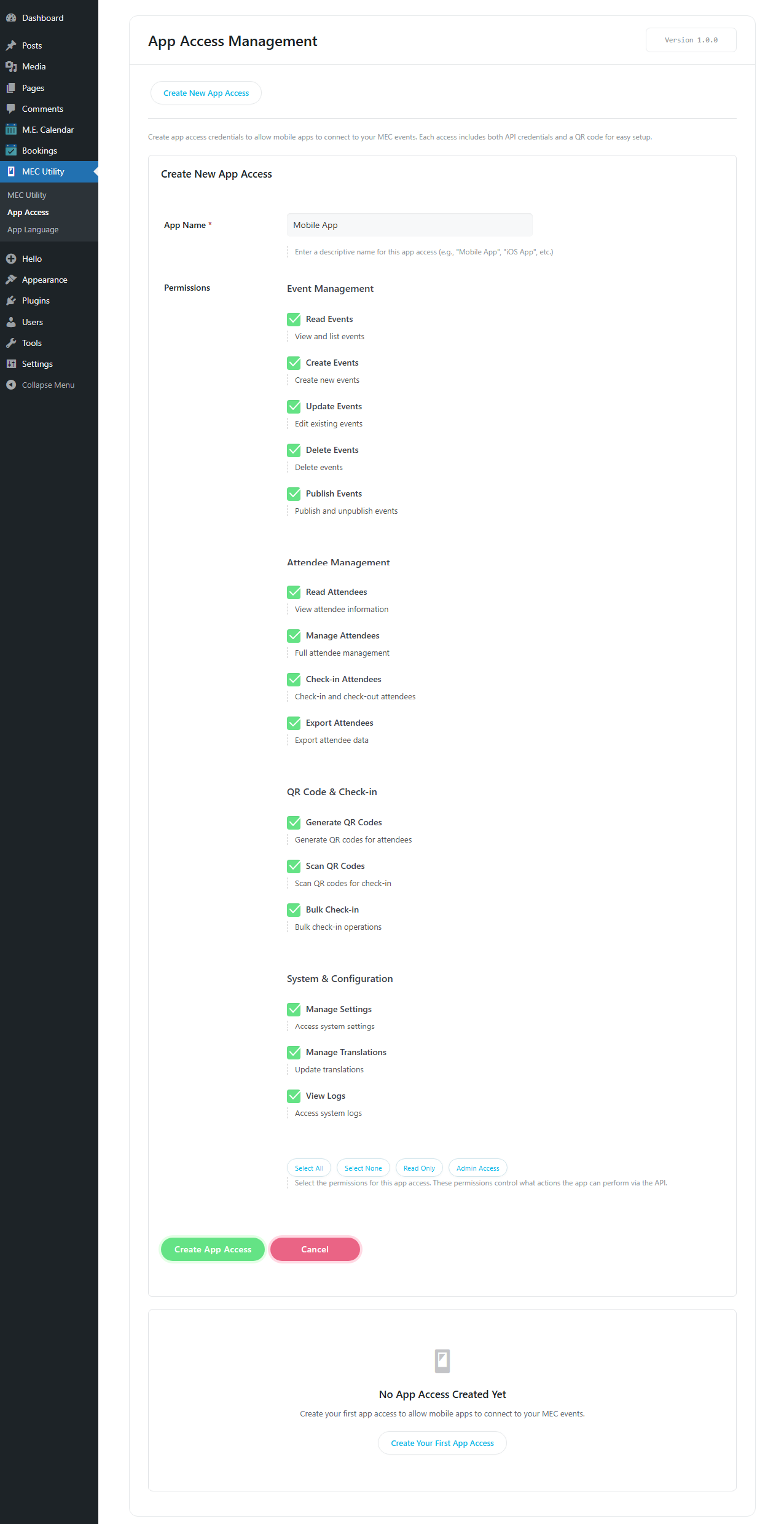
App Access Management allows administrators to create and configure different API keys with specific permissions. This ensures controlled access to events, bookings, and attendees.
Steps to create a new App Access:
- Go to MEC Utility > App Access.
- Click on ‘Create New App Access’.
- Assign a name and select permissions (Events, Bookings, Attendees, Check-in/Check-out).
- Save your settings.
- A new API Key and QR Code will be generated automatically.
Creating and Managing API Keys
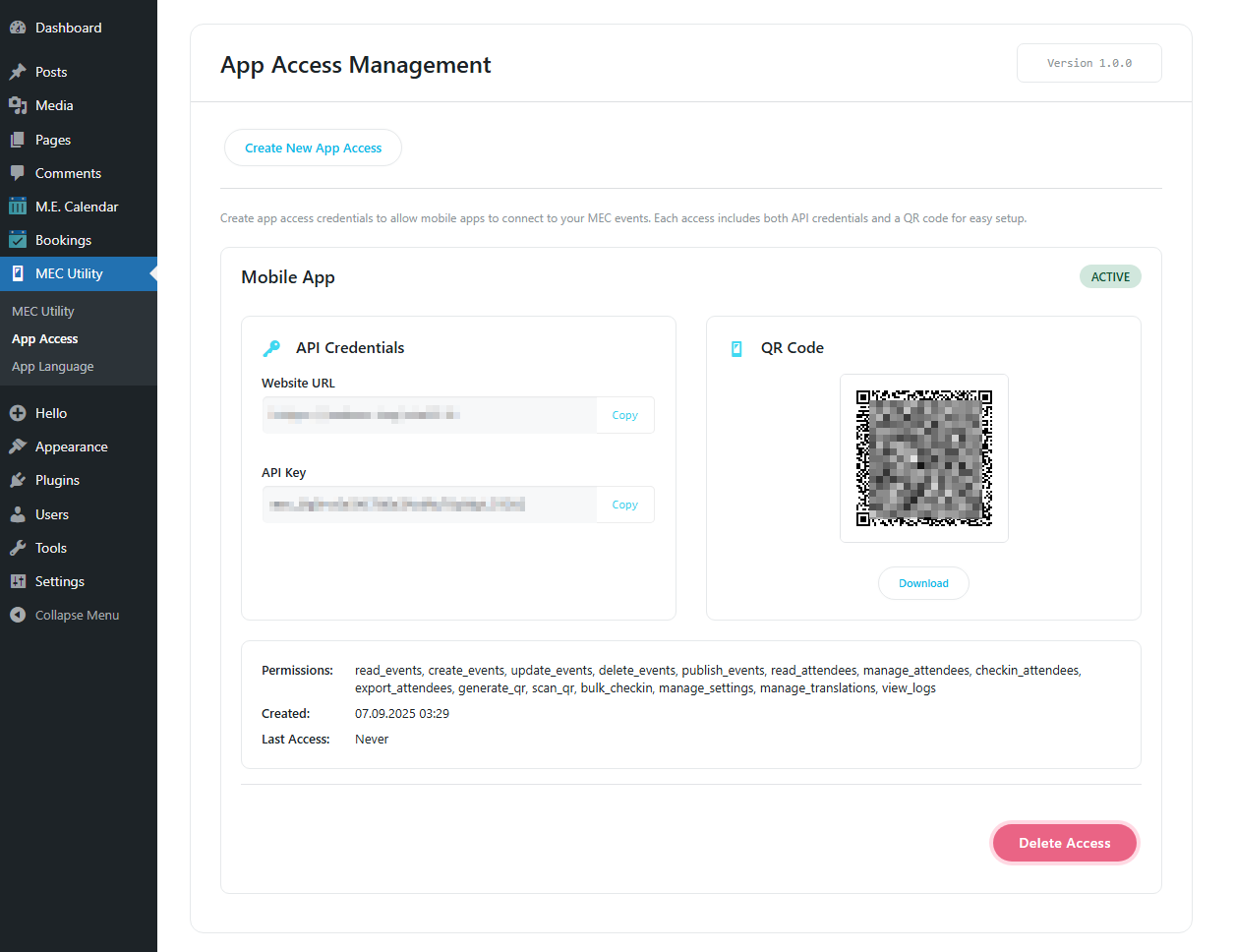
Each App Access generates a unique API Key. Currently, API Keys can only be deleted from the App Access Management page. Editing or restricting API Keys is not available yet but will be added in future updates. You can always remove an API Key if access is no longer required.
QR Code Authentication
For convenience, every App Access also provides a QR Code. The QR Code contains both the website URL and API Key, allowing instant login from the MEC Events mobile app.
Advantages of QR Codes:
- Users do not need direct site access.
- Quick and secure authentication.
- Multiple QR Codes can be generated and distributed.
Mobile App Connection (QR / Manual Setup)
There are two ways to connect the MEC Events mobile app to your WordPress site:
Method 1: QR Code (Recommended)
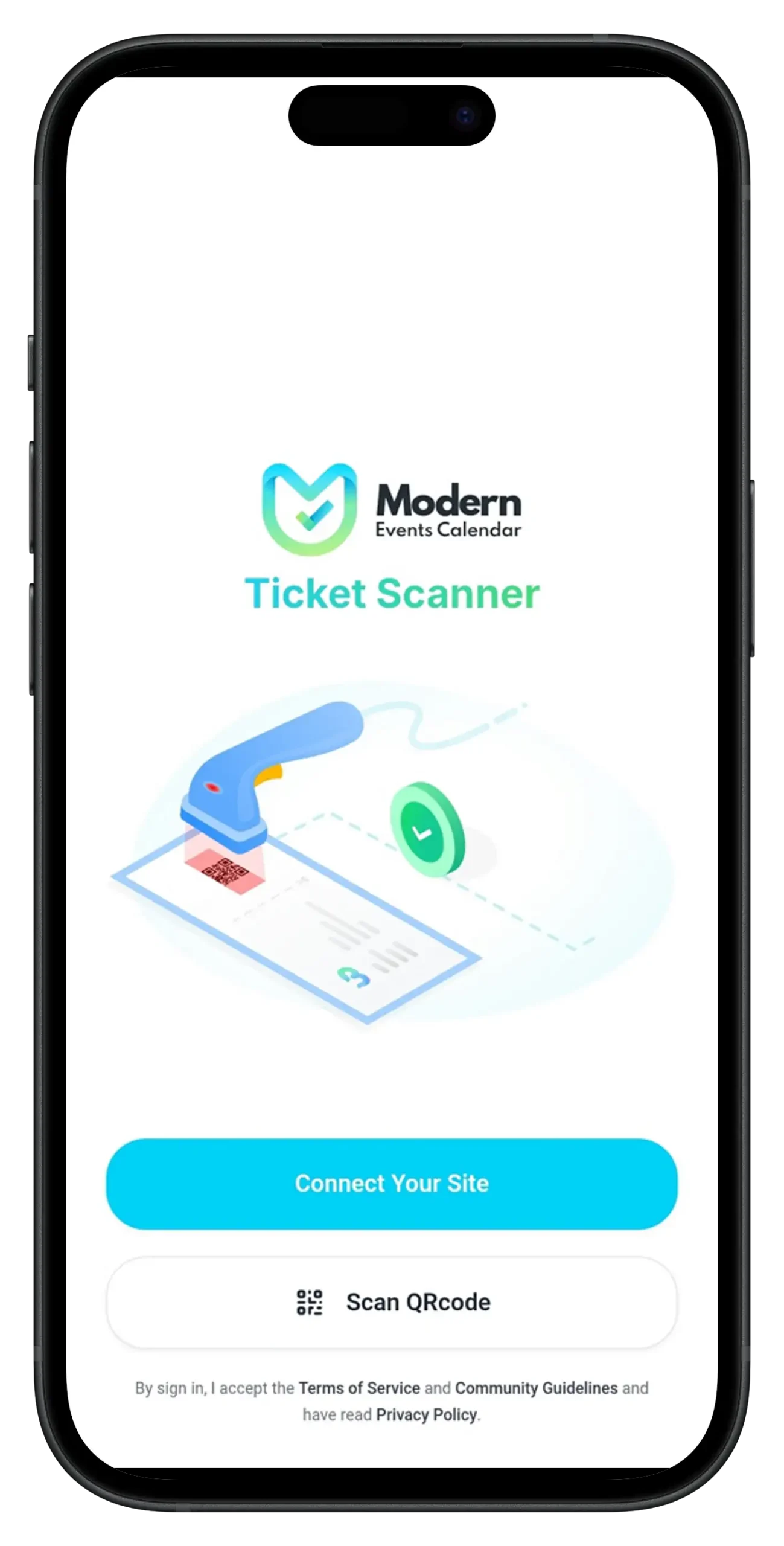
- Open the MEC Events mobile app.
- Select ‘Scan QR Code’.
- Scan the QR Code provided by the admin.
- The connection is established automatically.
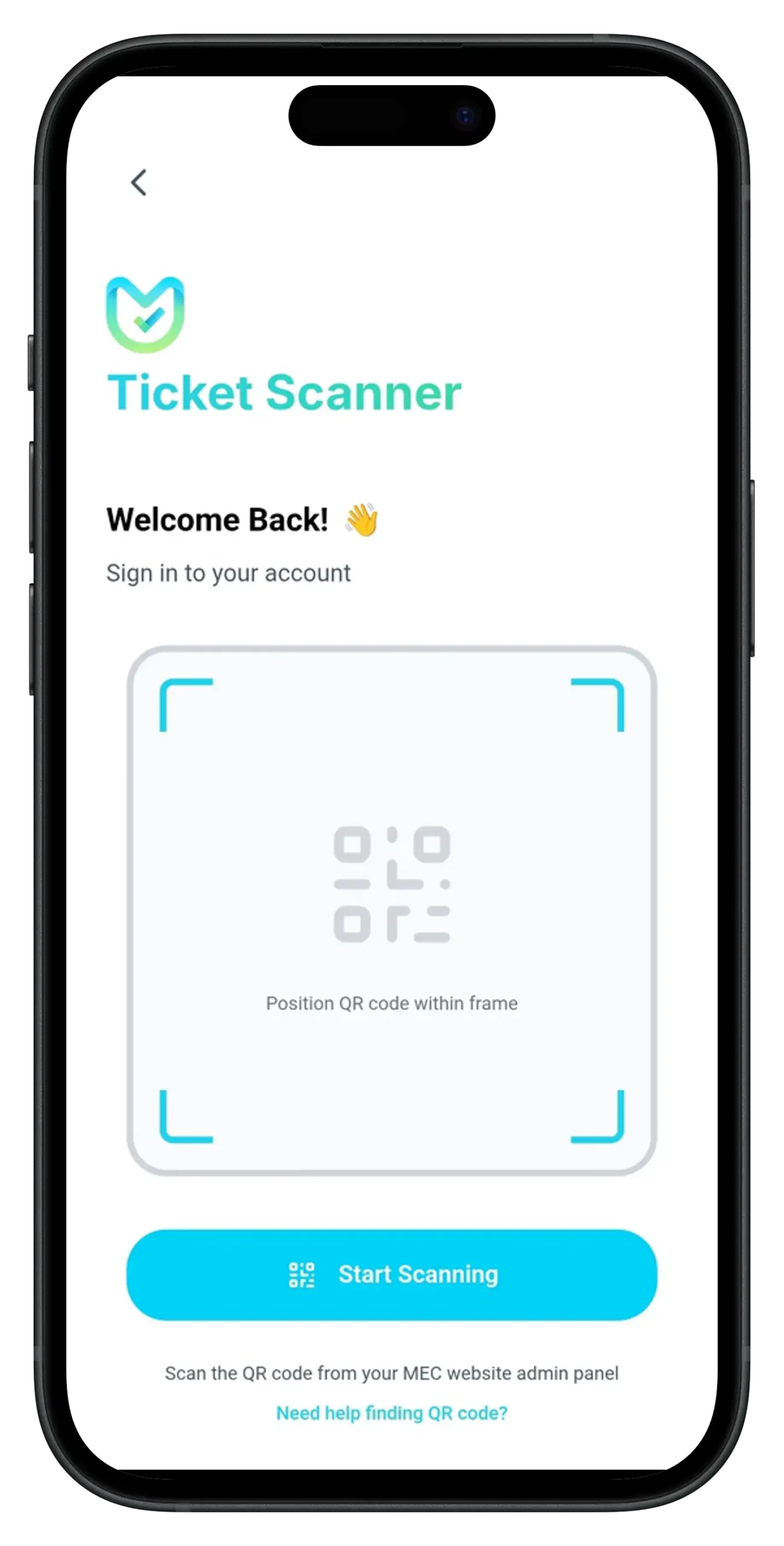
Method 2: Manual Setup
- Open the MEC Events mobile app.
- Select ‘Connect Your Site’.
- Enter the Website URL and API Key.
- Tap the ‘Connect Your Site’ button.
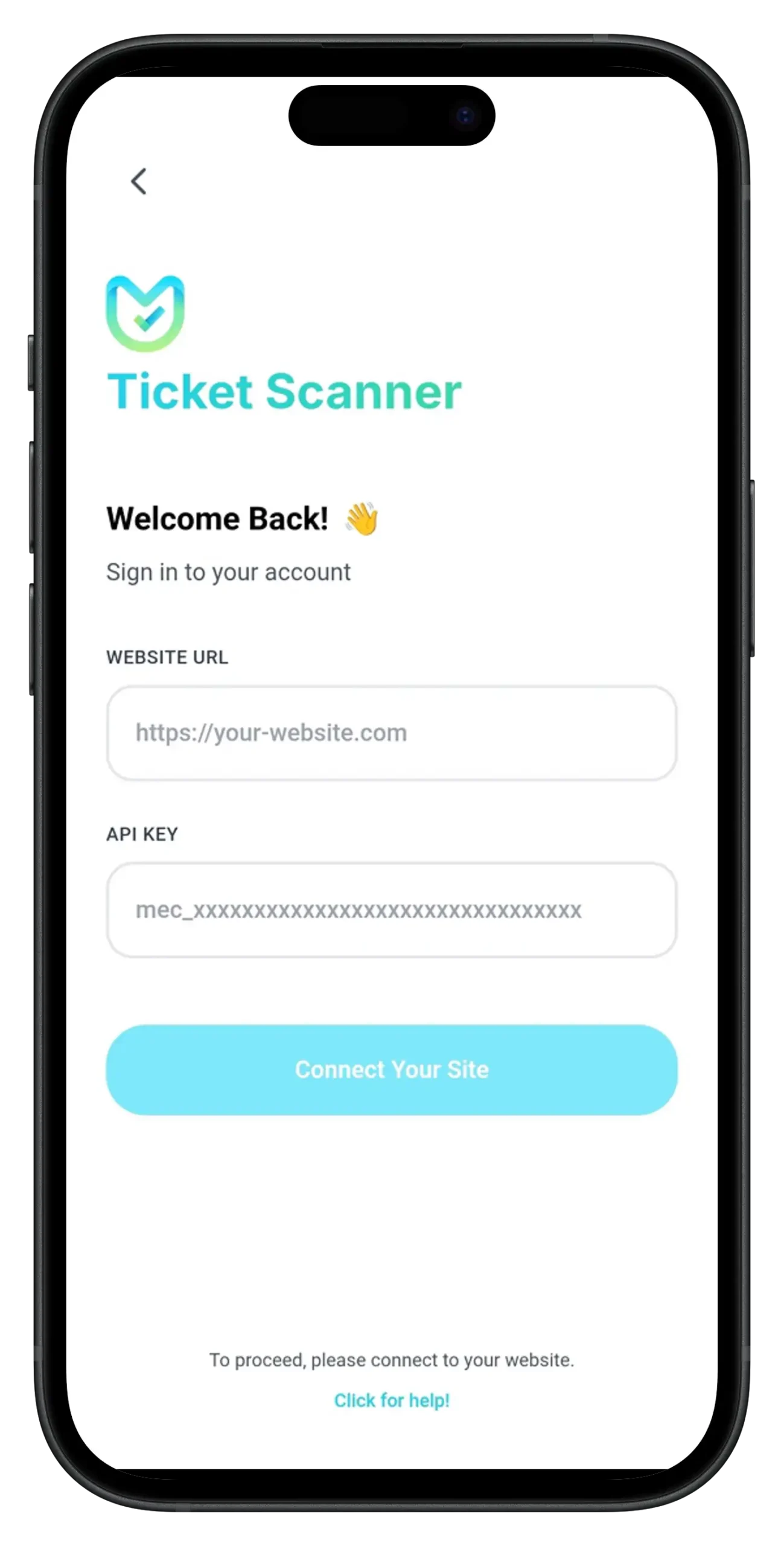
Security Features
MEC Utility is designed with security in mind:
- API Keys and QR Codes can be revoked at any time.
- Permissions can be tailored to specific roles.
- QR Codes should only be shared with authorized users.
Summary & Best Practices
MEC Utility bridges the gap between your website and the MEC Events mobile app. By defining App Access entries with controlled permissions, you can ensure secure and efficient event management.
Best Practices:
- Always assign the minimum required permissions.
- Revoke unused API Keys and QR Codes.
- Educate staff on secure QR Code handling.
Language App Menu
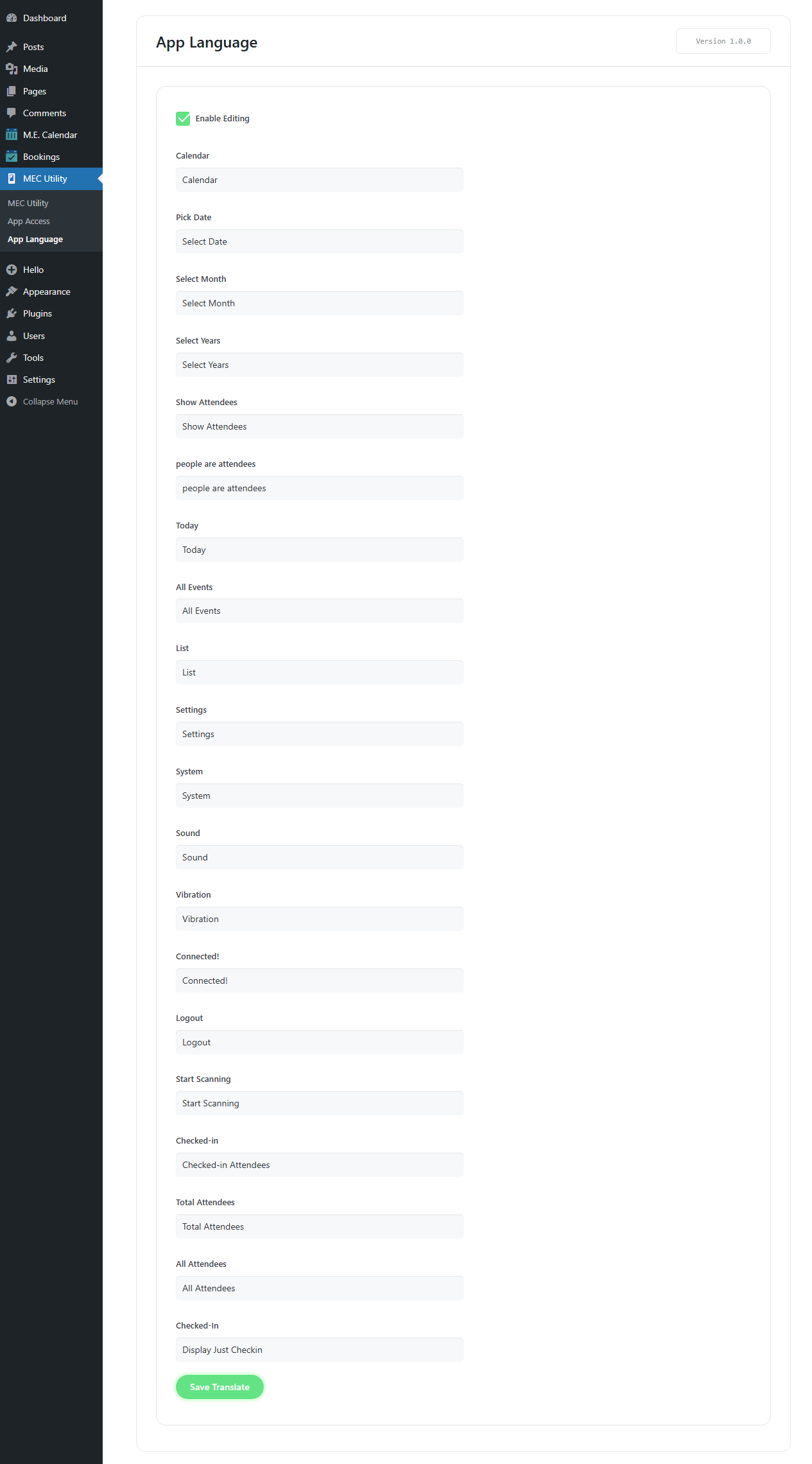
The Language App menu allows administrators to translate or customize any string that appears in the MEC Events mobile application. By modifying these strings, you can localize the app into your desired language or adapt its text to match your brand identity.
Key Features:
- Translate built-in texts of the MEC Events app.
- Provide a consistent localized experience for users.
After saving translations, the connected mobile app will automatically display the interface in the selected language.
Updated on: 01/02/2026
Thank you!